


Managing your United Fiber account has never been easier! With SmartHub, you can pay your bill, view your account information, monitor usage, and stay connected—all from your desktop or mobile device.
Whether you prefer to log in from your computer or use the mobile app on the go, getting started is simple. Follow the steps below to sign up today.
How to Sign Up for SmartHub on Desktop
Getting started online only takes a few minutes:
- Visit unitedfiber.com
- Click “Bill Pay and Customer Center” at the top of the page. You will be redirected to the page below.
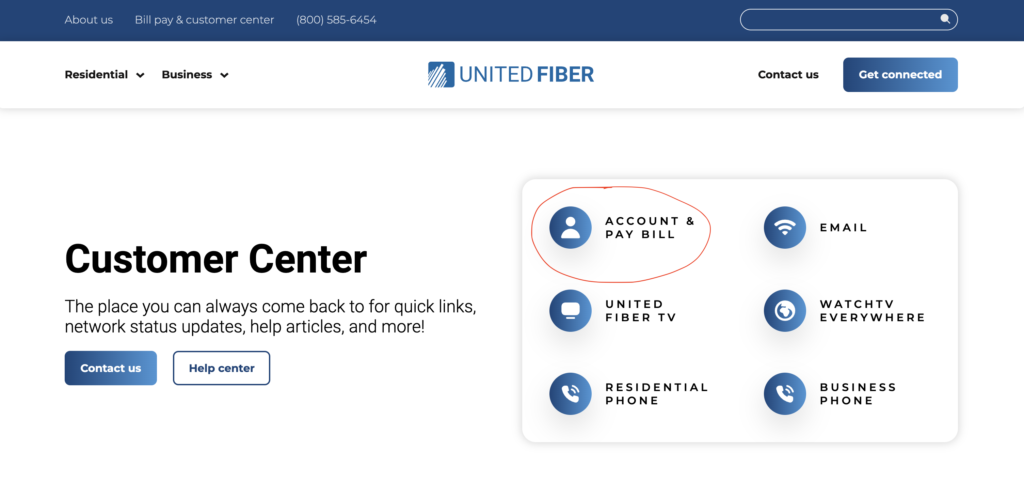
3. Select “Account & Pay Bill” pictured above.
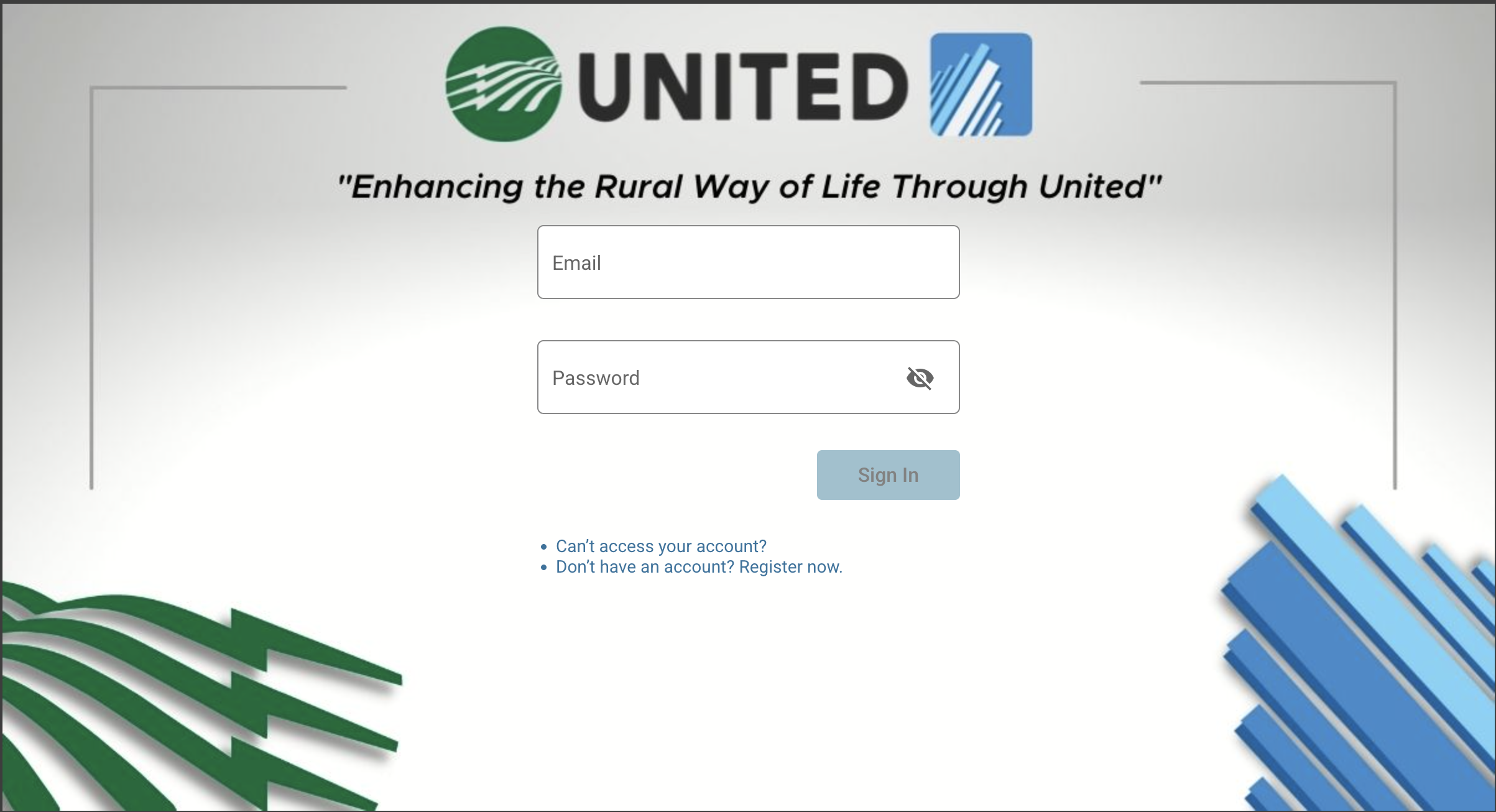
4. On the SmartHub login page, click “Don’t have an account? Sign up Now” at the bottom.
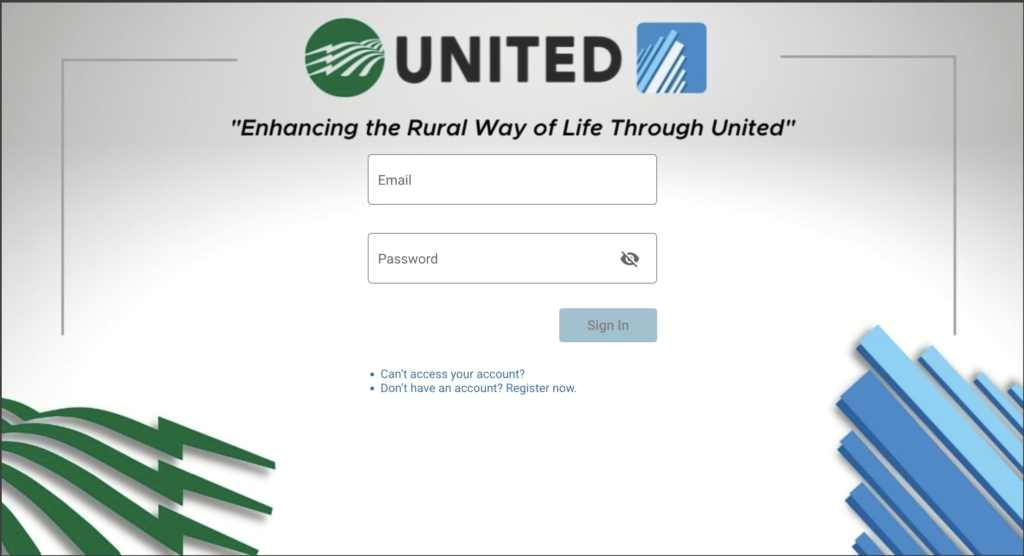
Follow the prompts and enter:
5. Your billing account number
6. Your last name or business name
7. Your email address
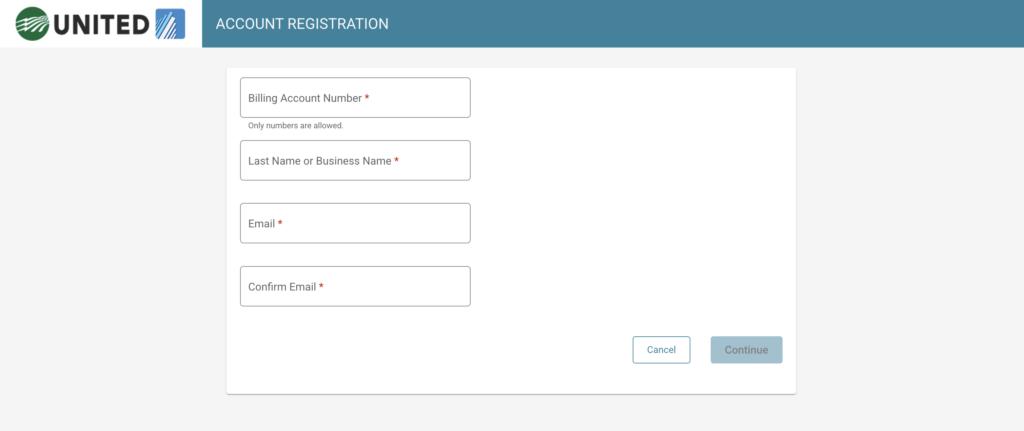
Once registered, you’ll have full access to your account information and payment options.
Important Billing Information:
Billing begins the day your service is installed and will be prorated for the first month.
Your first bill will typically be higher than your regular monthly bill because:
- You are billed one month in advance, and
- It includes prorated charges from your installation date.
After the first billing cycle, your monthly bill will reflect your standard service rate.
How to Sign up for SmartHub Using the Mobile App
Prefer to manage your account from your phone or tablet? The SmartHub app makes it easy!
Step 1: Download the App
Download the SmartHub app from the Apple App Store or Google Play Store.
or
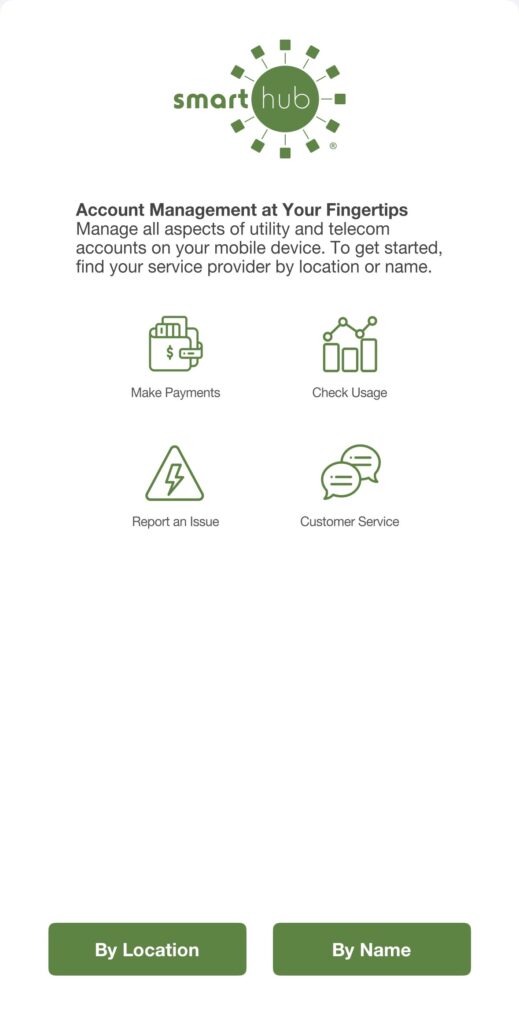
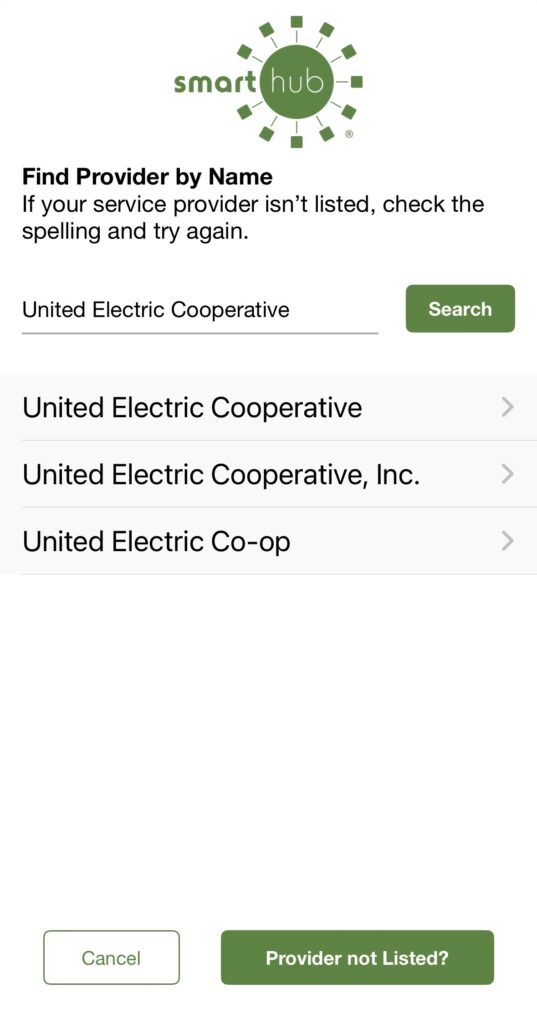
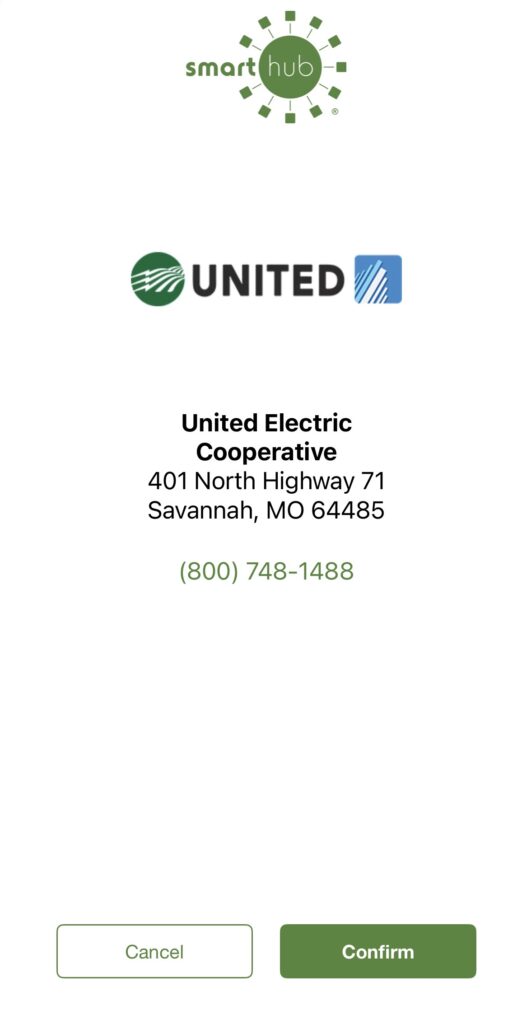
Step 2: Find Your Provider (See vide below for step by step visuals)
- Open the app.
- Select the “By Name” option at the bottom right.
- In the “Find your provider by name” section, type “United Electric Cooperative.”
- You will see our address listed:
401 North Highway 71
Savannah, MO 64485 - Select the green “Confirm” button in the bottom right corner.
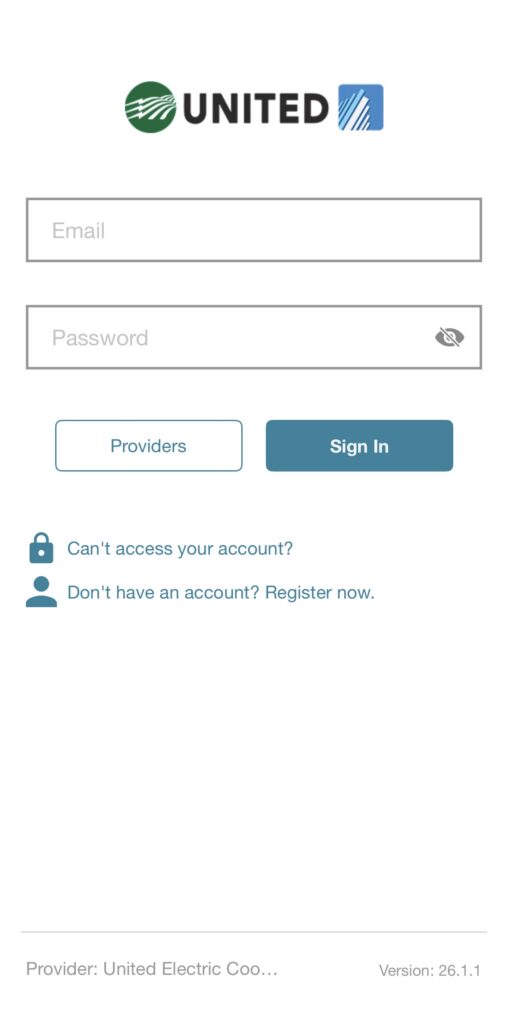
Step 3: Log In or Register
- If you already have an account, simply log in.
- If you’re new, select “Don’t have an account? Register now.”
Follow the prompts to enter:
- Your billing account number
- Your last name or business name
- Your email address
And that’s it—you’re all set!
If you need assistance at any time, our customer support team is here to help.
📞 Call 800-585-6454
🌐 Visit unitedfiber.com
Sign up for SmartHub today and enjoy the convenience of managing your United Fiber account anytime, anywhere!