


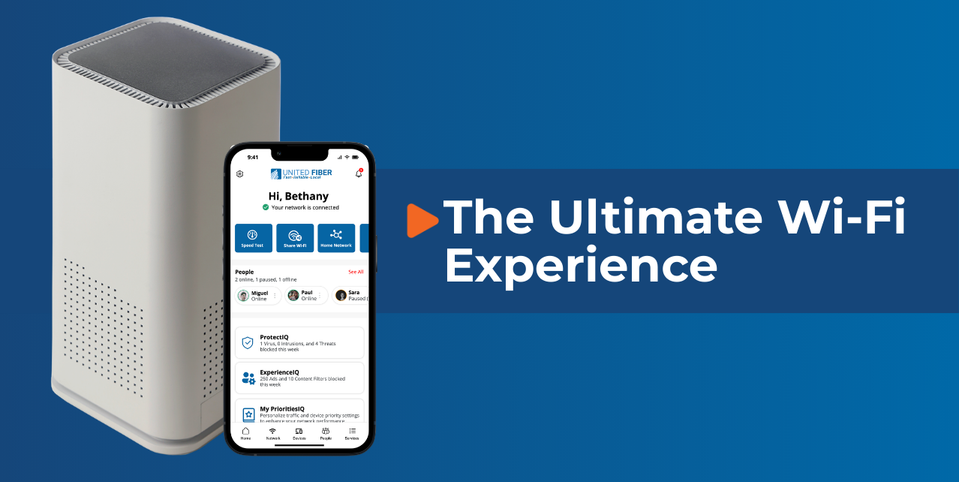
Setting up your United Fiber Wi-Fi Blast router is quick and simple with the United Fiber app. In just a few steps, you’ll have your home network up and running — and the best part? Everything connected to your Wi-Fi Blast router is protected.
Follow the step-by-step guide below to get started.
Step 1: Download the United Fiber App
Start by downloading the United Fiber app from:
- The Apple App Store (for iPhone and iPad users)
- The Google Play Store (for Android users)
Once the app is installed, you will see the following screen:
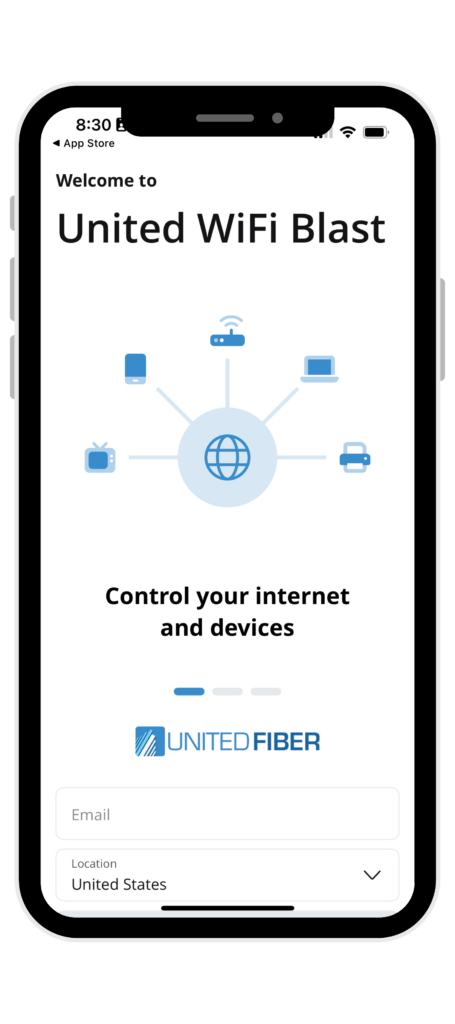
Now, enter your email to use for future logins and enter your location.
Step 2: Create Your Account
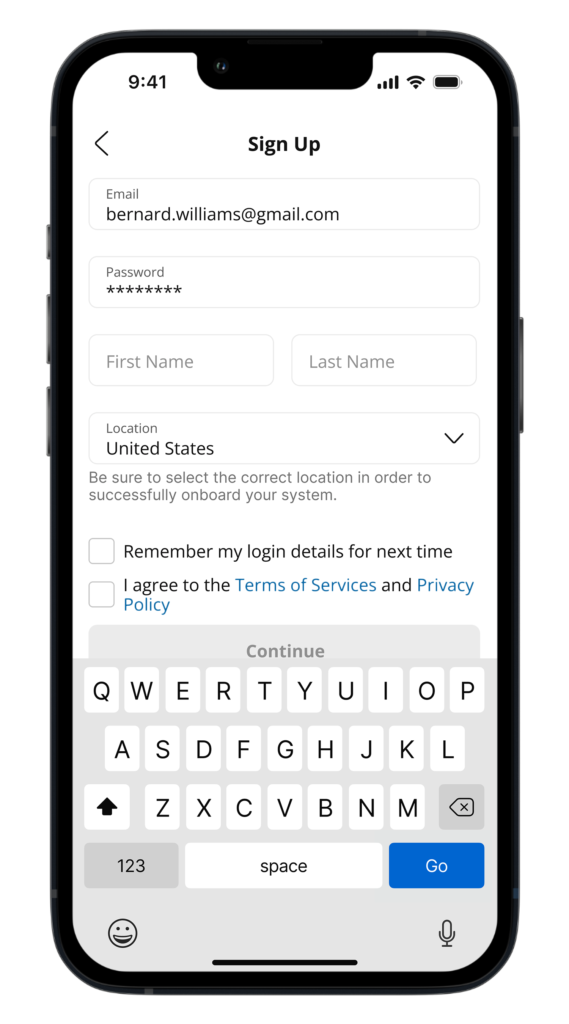
You will be redirected to the screen shown below.
Now enter your information and create a password.
Tap “Continue” when finished.
👉 Important: The password you create here will be used to access the app in the future, so be sure to store it somewhere safe.
Step 3: Start Setting Up Your Router
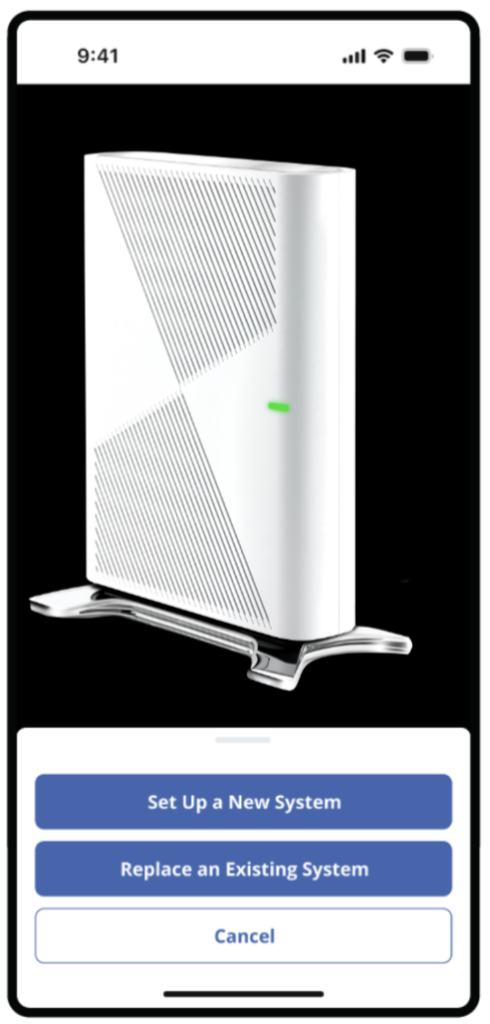
After signing in, select “Set up a new system” to begin setting up your new router.
Step 4: Connect Router to App
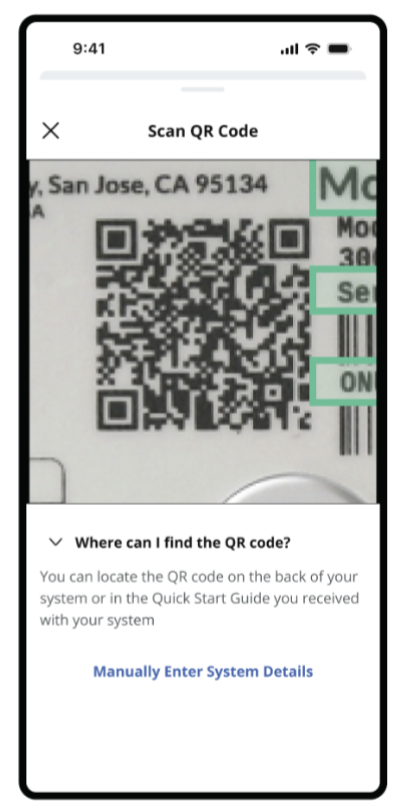
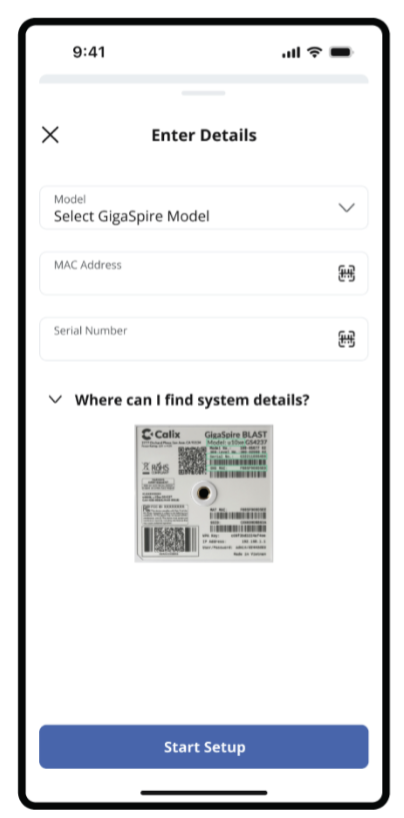
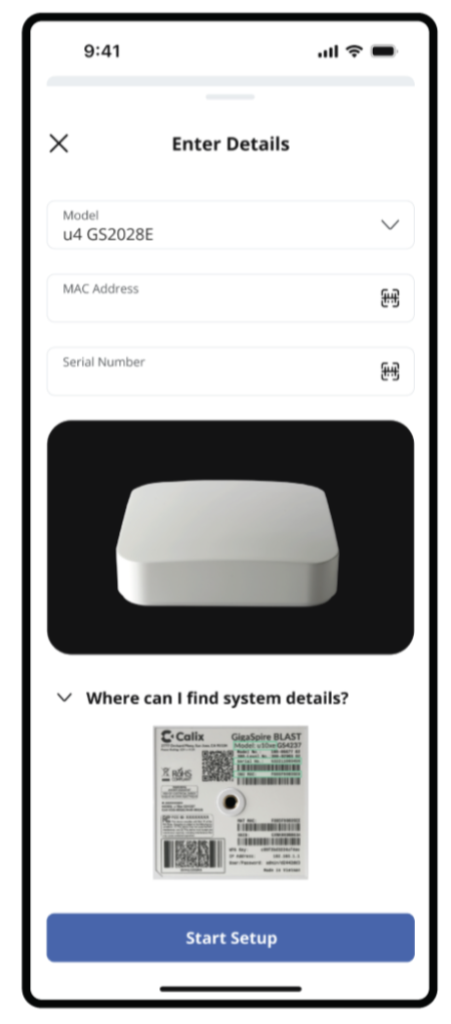
Scan the QR code on your system, or enter the system details manually.
Step 5: Setup New Router
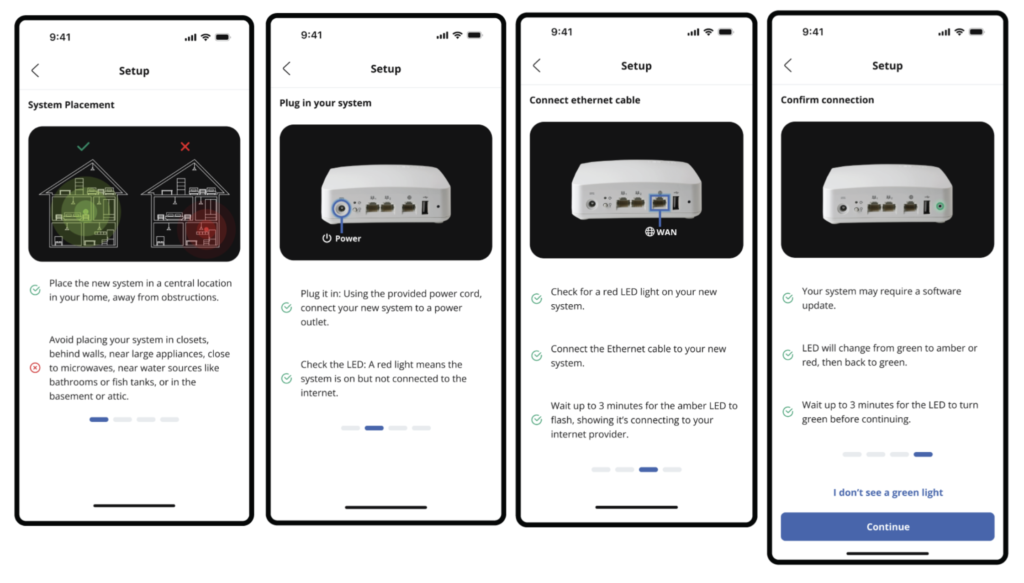
Follow the next steps for your new system set up.
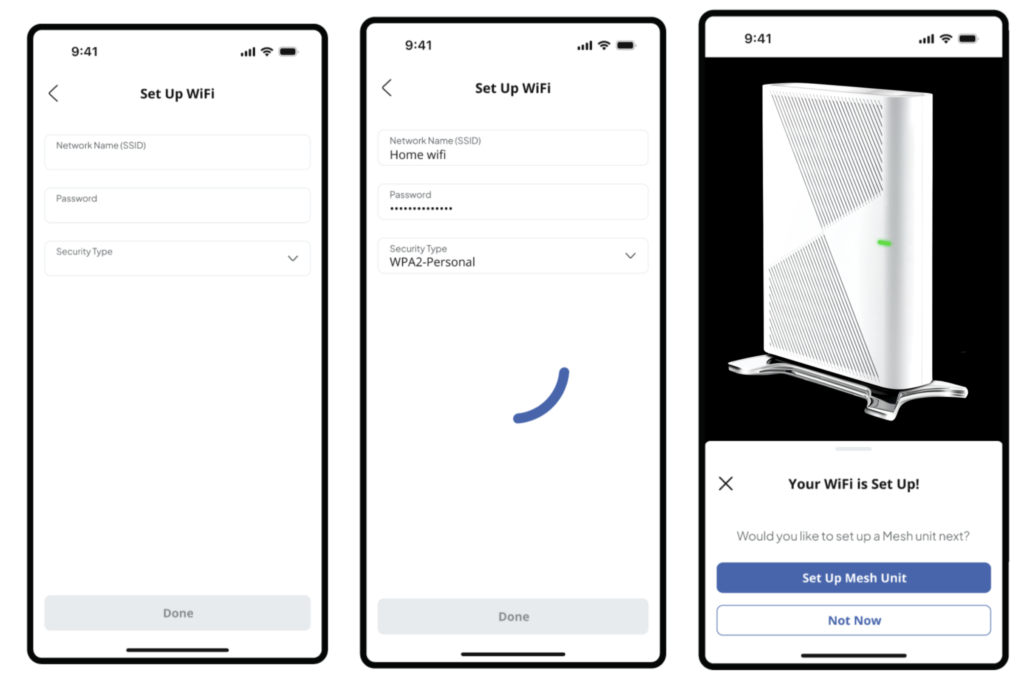
Step 6: Set Up Wi-Fi Network
Now that you have your new router set up, you can set up your Wi-Fi network.
Features of the United Fiber App paired with the United Wi-Fi Blast Router
✅ Create and update your Wi-Fi network name (SSID)
✅ Set or change your Wi-Fi password
✅ View all connected devices
✅ Pause Wi-Fi access for specific devices
✅ Set up parental controls
✅ Run speed tests
✅ Manage guest networks
✅ Monitor network performance
✅ Receive security alerts
✅ Protect all connected devices with built-in security features
With Wi-Fi Blast and the United Fiber app, managing your home network has never been easier. Everything connected to your router is protected, giving you peace of mind while you stream, work, game, and browse. Happy internet-ing!
Need Help? We’ve got you covered.
Give us a call at 800-585-6454, or email us at fiber@ueci.coop.